
Native Code Editor & File Manager for Android
A full-featured code editor built for Android - syntax highlighting, word wrapping, multiple language support, an integrated file explorer, terminal, and on-device code execution via Termux.
Built for Speed & Clarity on Mobile
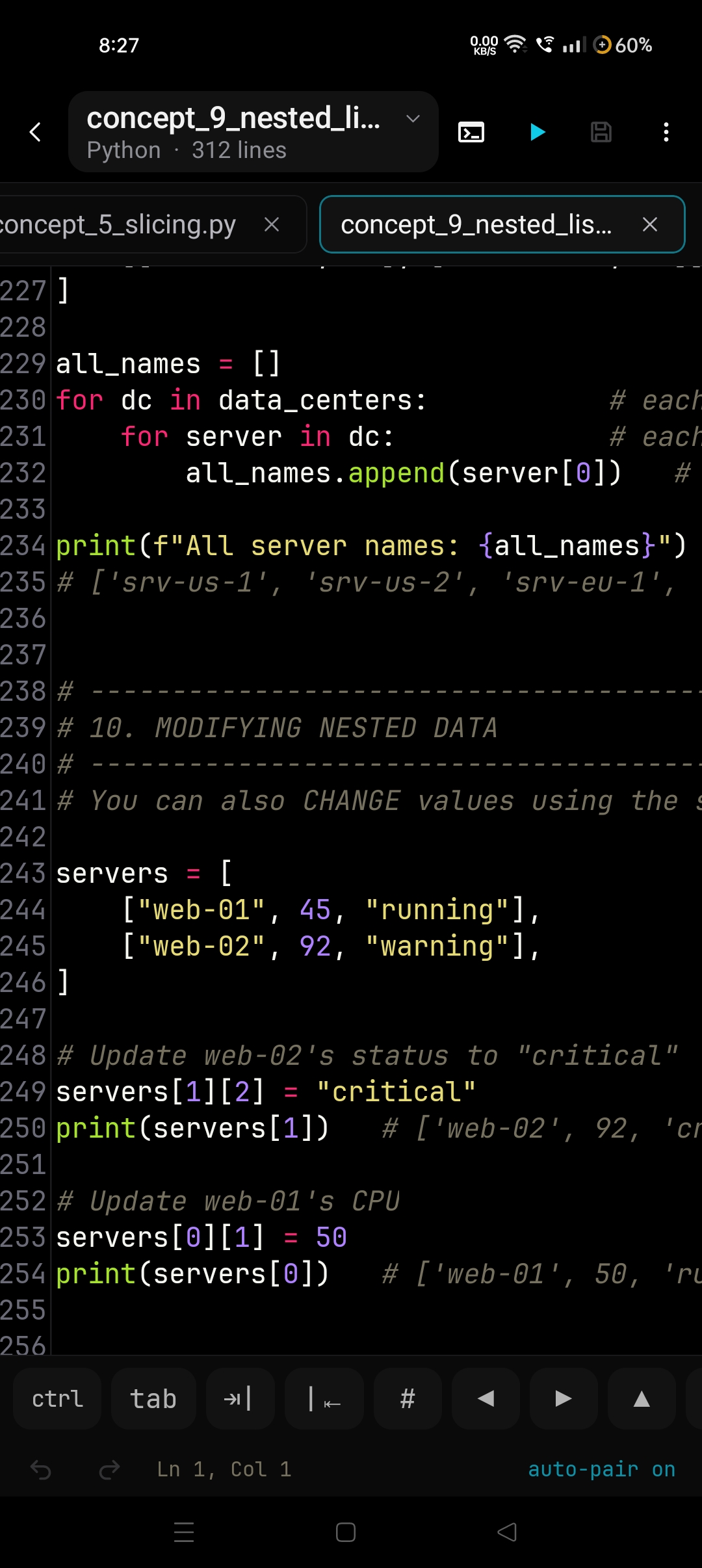
Native Editor & Programmer Key Bar
Multi-file tab navigation, line numbering, auto-pairing brackets, and a customizable keyboard accessory bar with navigation and code symbol keys.
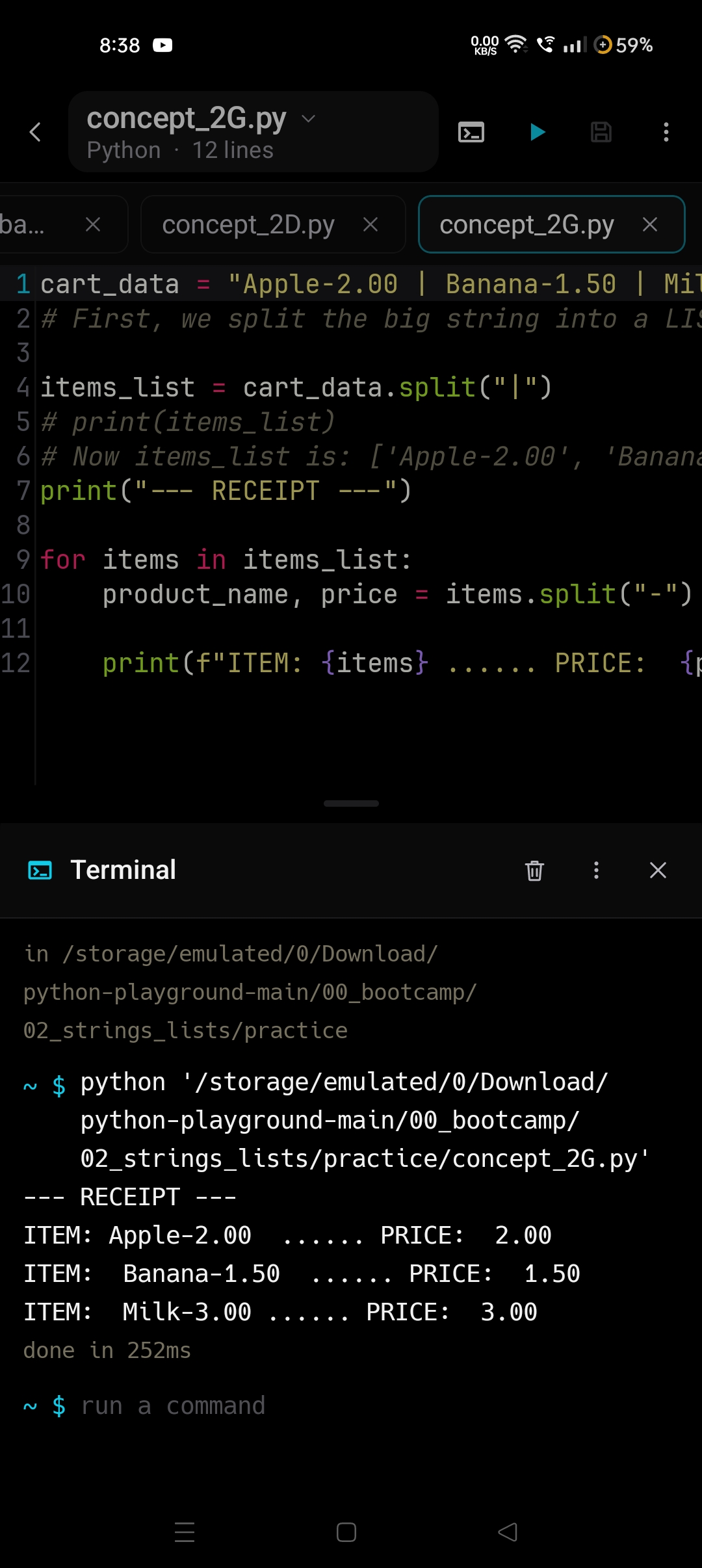
Terminal & Termux Execution
Execute Python, C, and Go directly on device with split editor terminal, live output streaming, command history, and exact execution timings.
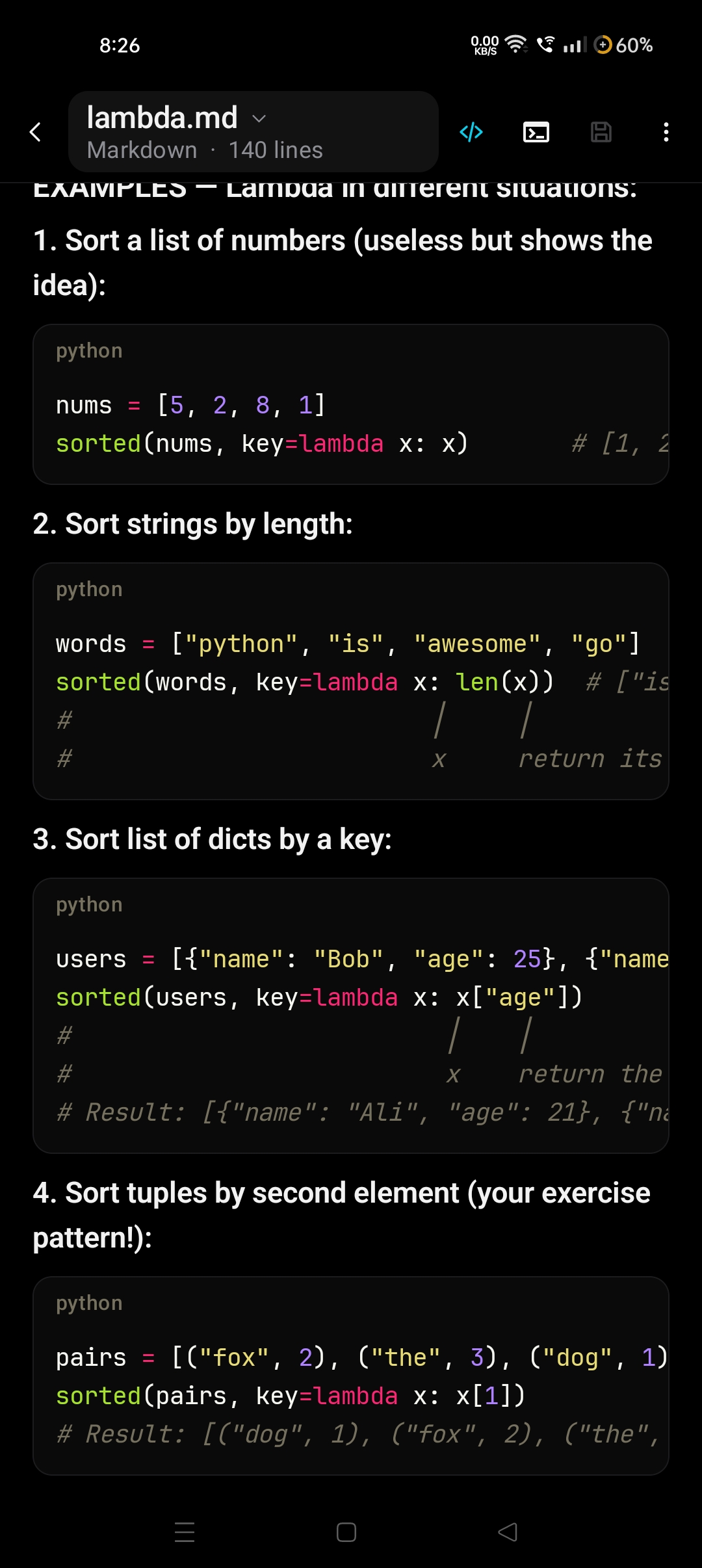
Live Markdown Rendering
Instant live rendering of Markdown files with syntax-highlighted code blocks, formatted headers, task lists, and full AMOLED dark theme aesthetics.
Built for Production Workflow
Native File Explorer & Drawer Tree
Full-capability file management system directly integrated into the editor. Browse, search, filter, sort, create, rename, batch delete, cut, copy, and move files. Includes an in-editor file drawer allowing project navigation without breaking context.
Termux Execution Bridge
Execute Python, C, and Go directly on your Android device. Integrated console terminal captures real-time outputs, command history, and exact execution timings.
Multi-File Tabs & State
Work with multiple active buffers concurrently. Retains unsaved drafts, scroll offsets, and active cursors across tab switches and app pauses.
15+ Language Engines
High performance syntax highlighting for Python, Kotlin, Java, JavaScript, TypeScript, C, C++, Rust, Go, Markdown, and configuration formats.
Customizable Key Bar
Ergonomic keyboard accessory row with Ctrl, Tab, navigation arrows, Home, End, and coding symbols. Reorder keys per language via drag and drop.
Smart Typing & Line Tools
Automatic bracket and quotation pairing, block auto-indentation, line duplication, one-tap line deletion, block comment toggling, and floating caret magnifier with precise selection handles.
Privacy-Focused Core & Markdown Preview
Engineered with a privacy-first mindset. Alchemy IDE declares no internet permission, ensuring your code remains entirely on your device. After a one-time language toolchain installation in Termux, development and execution run completely offline. Also includes native Markdown live preview with rendered tables, task lists, and syntax-highlighted code blocks.